
Annot Cloud (web app)
The Annot web app at annot.work/app is
the hand-edit surface for the same SVG annotation format produced
by the headless annotator. Capture once, hand-tune in the browser,
share the result.
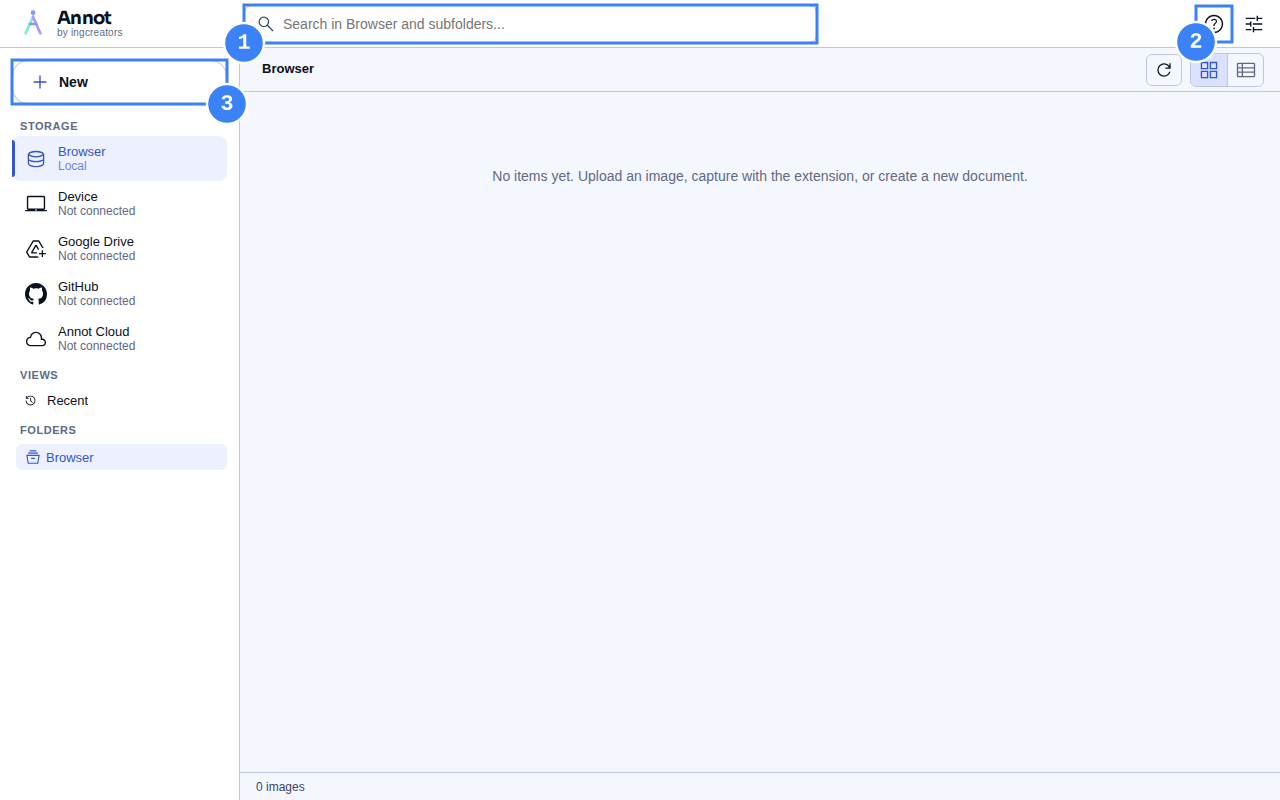
Topics
Section titled “Topics”- Sign in — GitHub + Google login flows for cloud sync.
- Switch storage backends — Local IndexedDB, the OS file system, GitHub repos, Google Drive.
- Share links — Generate a public URL for any annotated screenshot.
When to use the web app vs the Playwright fixture
Section titled “When to use the web app vs the Playwright fixture”- Web app: hand-tuned annotations. Designers, product managers, bug reporters who want to mark up a screenshot once and share it.
- Playwright fixture: programmatic annotations from CI. Test authors, build pipelines, docs generators.
Both produce the same SVG format. A hand-edited screenshot can be
opened in a script via parseAnnotationSvg; a Playwright-generated
screenshot can be opened in the web app for further hand-editing.
Pricing
Section titled “Pricing”The web app is free to use under the Apache-2.0 licence. A paid Pro tier covering team sharing, history, and increased quotas is on the roadmap.